Moving the mouse cursor over the top of the page will display the menu bar.
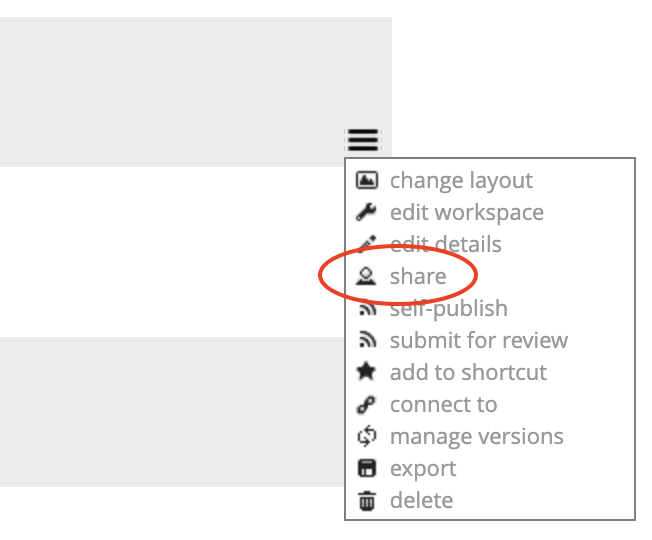
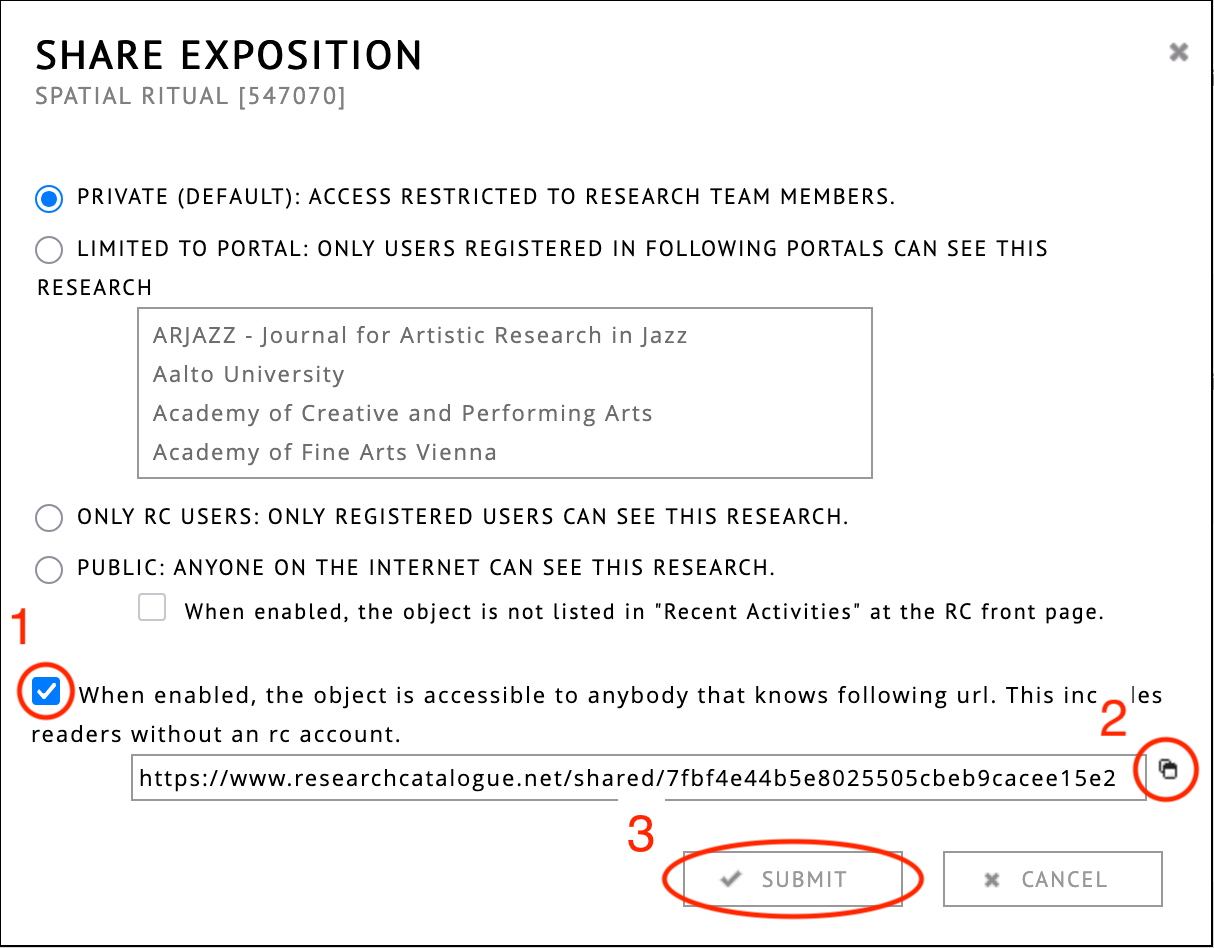
Instruction to share an exposition through a secret link.
Tip
This page contains media that is intended to start playback automatically on opening. This may include sound.
Your browser is blocking automated playback. Please
click here to start media.
SAR -
How to share an exposition through secret link -
2026